- TO CHECK THE SITE
- FOR SEO
- TO CHECK THE TRAFFIC

What Are Broken Links, and How Can They Hurt Your User Experience
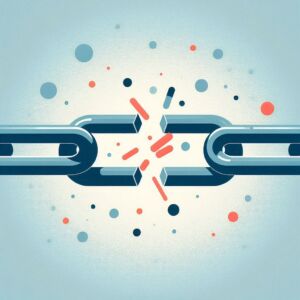
To begin, it’s essential to understand what broken links are and why they matter. A broken link, also known as a dead link or a broken URL, refers to a hyperlink that, when clicked, leads to a webpage that does not exist or has been moved without a redirect. Not only can these links frustrate users seeking information, but they can also negatively impact a website’s search engine optimization (SEO) and credibility. Imagine trying to navigate a treasure map full of “X” marks, only to find that some paths simply lead nowhere. This experience can be just as disappointing for your website visitors.
The Impact of Broken Links on User Experience
As we dive deeper into the topic, let’s address some frequently asked questions regarding broken links. Users often wonder about the different types of broken links, the main causes, and the best practices for managing them. Broken links can generally be categorized into two main types: internal links that direct to pages within the same website and external links that lead to outside sources. Understanding these distinctions is important for effective troubleshooting and maintenance. Internal broken links might stem from site restructuring, while external links can break when the linked content is deleted or moved on another site.
It is crucial to provide a detailed explanation of why broken links can harm user experience. For instance, linking to nonexistent pages can leave users feeling discouraged and lead them to abandon the site. Websites filled with broken links can appear untrustworthy and unprofessional, which potentially leads to decreased user engagement and higher bounce rates. A user who encounters a broken link might think the site is outdated or poorly maintained, impacting their perception of your brand’s reliability. Additionally, search engines like Google consider broken links as a sign of poor site maintenance, which could hurt your overall SEO rankings. This can be particularly damaging in a competitive digital space where every click counts.
Real-World Examples
Providing examples makes the implications clearer. A common scenario would be a blog article that links out to an external source that has since removed its content, resulting in a dead link. Conversely, a page on your own website may have been deleted or renamed without proper redirection, frustrating visitors trying to access it. Imagine a user trying to learn about a specific topic only to find themselves repeatedly hitting dead ends; this leads not only to dissatisfaction but also to lost opportunities for conversion or engagement. A practical illustration could involve showing before-and-after screenshots of user experiences when encountering broken links, emphasizing how this oversight can derail user journeys.
Understanding User Groups
Moreover, it is also helpful to tailor the information to different user groups. Beginners might need simple guidelines on identifying broken links, while more experienced users may benefit from advanced link auditing tools. For webmasters and SEO specialists, a deeper analysis of the repercussions on SEO strategies would be crucial. It’s important to present actionable insights that resonate with each audience’s knowledge level, ensuring that everyone can glean value from the content.
A Step-by-Step Guide: Identifying and Fixing Broken Links
A step-by-step guide could prove valuable in illustrating how to identify and fix broken links effectively. The process might encompass several stages. First, you can use online tools to scan for broken links. Tools like Screaming Frog, Broken Link Checker, or Google Search Console can be instrumental in detecting broken links and providing actionable insights on how to repair them. Secondly, it’s advisable to manually check critical pages on your site to ensure seamless navigation.
In the case of finding a broken link, implementing a 301 redirect can help guide users from the old URL to a new, relevant page. This step is crucial as it preserves the integrity of your website and ensures that users don’t hit dead ends. Updating or removing outdated links ensures the content remains reliable, further establishing your site as a trustworthy resource. Each step should be accompanied by clear instructions to ensure all users can follow along, empowering them to maintain their websites efficiently.
Best Practices for Managing Broken Links
Alongside tools, offering recommendations on establishing routine link audits and maintaining an updated site map contributes to best practices for managing broken links. Regular audits can uncover lurking broken links before they harm your site’s reputation, while a fresh sitemap helps search engines understand your site’s structure better. Emphasizing the importance of actively monitoring the usability of links serves as a reminder of the ongoing nature of web maintenance. By staying proactive, webmasters can preserve their site’s reputation while fostering trust and ensuring a seamless experience for their users.
Conclusion: The Importance of Vigilance
To conclude, the presence of broken links on a website can greatly impact user experience and overall site performance. Highlighting the issues they cause and offering practical solutions empowers website owners and content creators to maintain a more user-friendly experience, ultimately benefiting their audience and improving their search engine rankings. By understanding what broken links are, getting familiar with their effects, and adopting best practices, webmasters can navigate the complex digital landscape more effectively. Thereby, ensuring their sites remain engaging, credible, and high-performing. We encourage you to try out the free tool from Revalin to check your website for broken links and safeguard your user experience today!


