- TO CHECK THE SITE
- FOR SEO
- TO CHECK THE TRAFFIC

Why is Internal Linking Important for Your SEO?
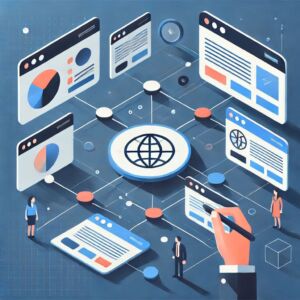
In the vast digital landscape, internal linking plays a crucial role in how your website performs in search engines. Internal links are hyperlinks that connect different pages within the same website, forming a roadmap for both users and search engine bots. Unlike external links, which direct users to other websites, internal links help maintain users on your site, enhancing their browsing experience and improving your SEO.
Overview of Internal Linking
Internal linking is essential in the digital ecosystem as it not only helps to establish a clear hierarchy of information but also supports better navigation. When you use internal links effectively, you give both visitors and search engines a way to understand the content structure of your site. This sets the stage for deeper exploration of internal linking’s vital role in search engine optimization.
When compared to external links, internal links keep users engaged within your website, guiding them to relevant content and improving their overall experience. This, in turn, can lead to higher engagement rates, reduced bounce rates, and improved search engine rankings.
Frequently Asked Questions (FAQ)
As we delve into internal linking and its remarkable impact on SEO, it is essential to address some common questions readers might have:
What is internal linking? Internal linking refers to hyperlinks that point from one page on a domain to a different page on the same domain.
How does internal linking improve SEO? Internal linking improves SEO by helping search engines to accurately understand your website’s structure and importance of each page, enhancing crawl efficiency and distribution of link equity.
How many internal links should be used on a page? While there’s no defined limit, it’s best to use a few quality internal links that improve user experience and contextual relevance without overwhelming the reader.
Is there such a thing as too many internal links? Yes, having too many internal links can lead to a cluttered page and confuse users, which negatively impacts both UX and SEO.
How do search engines view internal links? Search engines view internal links as a way to assess the importance and relationships between pages, aiding in content discovery and ranking.
Can internal linking improve user engagement? Absolutely! Effective internal links guide users to related content, keeping them on your site longer and enhancing their experience through intuitive navigation.
Detailed Explanation and Examples
Let’s dive deeper into the topic. Internal links enhance site navigation and user experience. By creating a smooth path across your website, you encourage users to explore your content further, thereby increasing engagement metrics.
The anchor text, or the clickable text within a hyperlink, plays a significant role in internal linking. Using descriptive anchor text helps users and search engines understand what to expect on the linked page. For example, if you link to a blog post about SEO strategies with the anchor text “advanced SEO tactics,” it provides both context and relevance.
Successful websites employ effective internal linking structures by logically connecting their content. For example, an e-commerce site can link product pages to category pages and related articles about those products, creating a logical flow for visitors.
Solutions for Different Types of Users
Whether you’re a beginner, an intermediate user, or an expert, internal linking can benefit you. For beginners, understanding basic concepts and simple strategies is key. Start by linking to the most important pages on your site from your homepage. Intermediate users can scale their structures by strategically linking related content and optimizing anchor texts. Advanced users might manipulate PageRank within their sites and establish a clear content hierarchy to maximize link equity transfer.
Step-by-Step Guide
Creating an effective internal linking strategy involves several practical steps:
Start with a content audit to identify which pages exist and their primary focus. Next, identify target pages and key content that need visibility. Develop a logical link structure that connects valuable pages to guide users. As you create these links, ensure that anchor texts are contextually relevant to enhance usability. Finally, regularly review and update your internal linking strategy to keep it effective.
Resources and External Links
For more in-depth analyses and tutorials related to internal linking for SEO, consider checking out resources like Moz’s Internal Linking Guide, instructional videos on internal linking strategies, and community forums where digital marketers discuss best practices.
Tools and Recommendations
Practical tools can significantly aid your internal linking strategies. Yoast SEO offers features for managing internal links efficiently, while Ahrefs provides robust analysis on existing link structures and opportunities for improvement. SEMrush comes with tools to conduct internal link audits and generate actionable recommendations.
Additional Recommendations and Tips
To further enhance the effectiveness of your internal linking strategies, focus on user-engaged anchor text that provides value and clarity. Avoid common mistakes such as link stuffing, which can distract users and confuse search engines. Make sure that your internal linking practices align with overall SEO goals, maintaining a balance between user-friendly navigation and optimizing for search engines.
Conclusion
In conclusion, internal linking is a powerful SEO tool that enhances site architecture and improves user experience, ultimately leading to better search engine rankings. By applying the strategies discussed, you can create a strong internal linking framework that benefits both your audience and your site’s visibility. Don’t hesitate to explore the capabilities of Revalin’s free tools to analyze and optimize your internal linking strategy!


